Weather Live°
Mosaic SrlWeather
4.430.30K Reviews
- Version
- 7.8.6
- Installs
- 50.00M
- Age Rating
- Everyone
Screenshots
Our Review of Weather Live°
 Analysis by Appyee
I judge a weather app not just by how much information it can show, but by how well it helps me make a decision before I leave home. Weather Live° is most useful when I have a connection and a moment to check what is changing: a forecast can help me decide whether to take a coat, shift a walk, or allow extra time for a rainy commute. Its mix of forecasts, maps, and alerts gives me more to work with than a simple temperature glance, though it still depends on the usual limits of weather predictions and mobile connectivity.
When the forecast needs a connection
Weather information is only as useful as its freshness. With an internet connection, Weather Live° can bring together forecast details and map views that help me look beyond the conditions at my exact location. I find that distinction valuable: a forecast answers what the day may feel like, while a map can help me understand whether weather nearby might affect plans soon.
I would treat the app as a planning aid rather than a promise. If a shower is close or the forecast is changing, I check again before setting off instead of relying on a glance from earlier in the day. This is especially sensible for outdoor plans, where a small shift in timing can matter more than a broad daily summary.
Useful in the middle of an ordinary day
The strongest use case for me is not studying weather for its own sake; it is fitting a quick check into a routine. Before a school run, walk, or trip across town, I can look at the conditions and decide what to carry. If I am away from home, changing locations helps me check the destination rather than assume its weather matches where I am standing.
That makes the app a good fit for people who regularly move between places or want a fuller picture than a basic forecast screen provides. Someone who only wants to know whether it is hot or cold may prefer the simpler weather panel already on a phone. Weather Live° makes more sense when maps, alerts, and extra conditions are part of the decision.
What to do when information feels uncertain
Forecasts can change, and a map does not remove that uncertainty. If a display looks surprising, I use it as a reason to check the forecast details again rather than making a high-stakes decision from one visual alone. For serious travel or safety planning, I would also pay attention to official local weather guidance instead of treating any single app as the final authority.
Connectivity can shape the experience too. When a page or map takes time to refresh, I avoid repeatedly tapping around and instead return to the main forecast once the connection is steady. For a quick decision, the most useful habit is to check before leaving a reliable network, then look again if conditions or plans change. I would not count on a live map or fresh alert arriving at exactly the moment I need it.
Keeping checks practical
Weather apps can encourage frequent checking, but I find it more helpful to focus on the details that could change a plan: expected rain, wind, temperature, or a relevant alert. A brief morning check and another before an outdoor activity are often more practical than watching every update. The app’s widgets can make a glance convenient, while opening the app is better when I need the context behind a number.
For someone watching mobile data use, a sensible approach is to avoid repeatedly refreshing maps when a basic forecast is enough. The map is most worthwhile when I am trying to understand the movement or direction of weather, not when I simply need to know whether to bring a light layer. This small distinction keeps the richer tools useful instead of turning every check into a longer session.
How Weather Live° fits into a daily routine
Have you ever found yourself caught in the rain because you forgot to check the weather? Yeah, me too. That’s why I decided to give Weather Live° a whirl. I’ve been using it for a few weeks now, and here’s the lowdown on what makes this weather app a must-have on your smartphone.
First Impressions
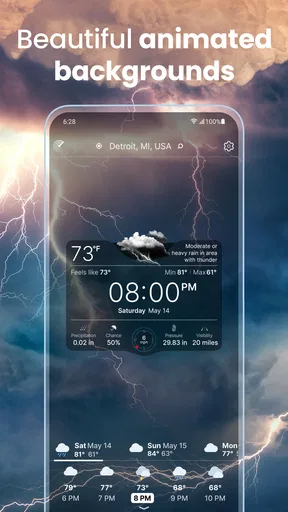
When I first opened Weather Live°, I was immediately drawn to its sleek and intuitive design. The app greets you with a vibrant, dynamic background that reflects the current weather conditions, which is a neat little touch. It’s like having a live window to the outside world right on your screen.
The interface is clean and easy to navigate. You won’t be overwhelmed by too many features or confusing menus. Everything is where you’d expect it to be, which makes checking the weather less of a chore and more of a pleasure.
Features That Stand Out
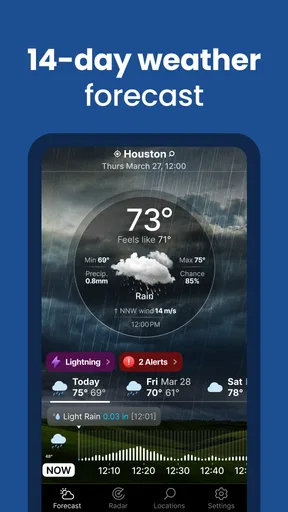
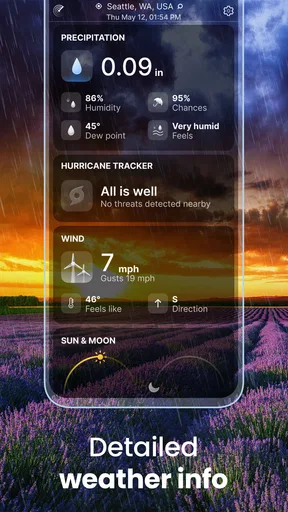
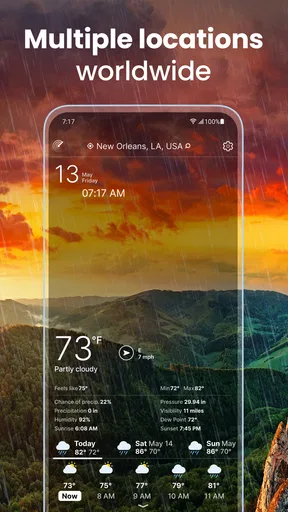
One of the highlights of Weather Live° is its detailed weather forecasts. You get hourly updates that include temperature, precipitation, and wind speed. This is particularly handy if you’re trying to plan your day around the weather. I’ve found the forecasts to be pretty accurate, which is crucial for any weather app.
The app also provides a 7-day weather forecast, so you can prepare for the week ahead. There’s something comforting about knowing whether you’ll need an umbrella or sunscreen in advance. Plus, you can easily switch between different locations, which is a lifesaver for travelers.
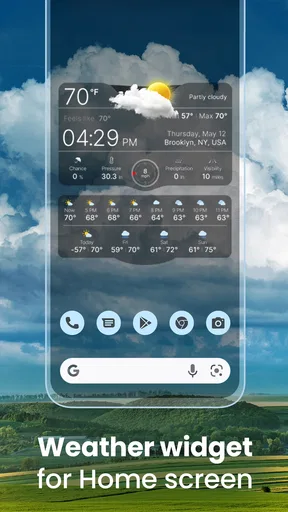
Another feature I love is the customizable widgets. You can choose from different widget styles and sizes to display on your home screen. It’s a simple way to keep weather updates at your fingertips without even opening the app.
Alerts and Notifications
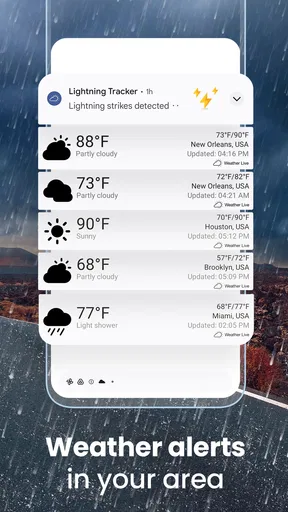
Weather alerts are where Weather Live° truly shines. The app sends timely notifications for severe weather conditions, which can really save the day if you’re out and about. You can customize the alerts to suit your preferences, ensuring you’re only notified about the weather conditions that matter to you.
The notifications are clear and concise, and they pop up just when you need them. The peace of mind this brings is invaluable, especially if you live in an area prone to sudden weather changes.
Additional Perks
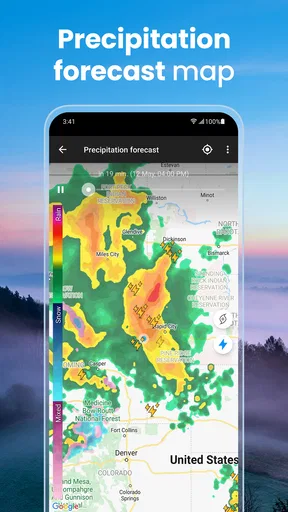
Beyond the basics, Weather Live° offers some fun extras. There’s a weather radar feature that lets you view current weather patterns in real-time. It’s fascinating to watch storm systems move across the map.
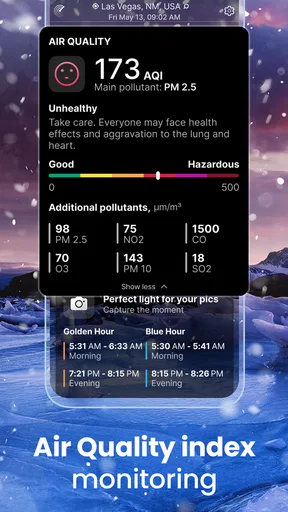
If you’re a weather enthusiast or just curious about meteorological data, you’ll appreciate the app’s inclusion of sunrise and sunset times, humidity levels, and UV index. It’s like having your own personal weather station.
Another cool feature is the wind map, which shows you the direction and speed of the wind. I never realized how much I’d enjoy watching those little wind arrows dance across the screen!
Choosing it over a simpler forecast
Compared with the standard weather panel on a phone, Weather Live° gives me more ways to explore conditions, especially through its radar and wind map. That extra detail is useful when I want to see whether weather is approaching or need to consider wind as well as temperature. The trade-off is that a map takes more attention than a simple forecast, so I would not open it for every routine check.
For a traveler, the location switching is more practical than relying on a home-city forecast while packing or nearing a destination. I would add the places I expect to visit before the day gets busy, then check the destination forecast directly. That helps avoid a common mistake: assuming the weather at the station, airport, or hotel will match the weather back home.
Small habits that make the details useful
I get more value from the app when I connect each reading to a concrete choice. Wind speed matters if I am cycling or carrying an umbrella; the UV index matters if I expect to spend a long time outside; sunrise and sunset times help me judge how much daylight remains for a walk. These are not just extra numbers to browse. They are most useful when they answer a specific question I already have.
A practical routine is to check the hourly view when timing matters, then use the longer forecast for broad planning rather than treating it as a fixed schedule. If rain is possible during a particular errand, I focus on that part of the day instead of letting a general daily icon decide for me. I also keep the widget for quick orientation and open the app when I need to compare locations or inspect a map.
Who will appreciate it, and who may not
I would recommend Weather Live° to someone who wants more than a temperature and a small weather symbol, especially if they travel between locations or like checking conditions visually. It is also a reasonable choice for people who want alerts and several kinds of weather information in one app. Its free availability makes it easy to try, though in-app purchases are offered, with individual items ranging from under a dollar to just over eighty dollars. I would check the purchase details carefully before buying anything.
On the other hand, if you only check the weather occasionally and want the fastest possible answer, your phone’s built-in forecast may be enough. People who need dependable information for hazardous conditions should not rely on a consumer forecast alone; local official warnings are the better reference for urgent decisions. And if you often have an unreliable connection, the app’s map-focused side is less convenient at the exact time you want current context.
Availability and overall value
Weather Live° is a free weather app from Mosaic Srl, with an average rating of 4.4 from around 928,000 ratings and more than 50 million installs. It is rated for Everyone, and its current version is 7.8.6. The app has been around since January 17, 2013, and that long presence gives it a familiar, established feel rather than the impression of a brand-new experiment.
For me, its value is in combining quick checks with deeper views when the day calls for them. I would not keep a weather app open constantly, and I would not treat any forecast as certainty, but the widgets, location switching, alerts, and maps give me useful options without making the basic screen feel hard to approach. The main friction is that richer information is most helpful when the connection is working and when I know what question I want it to answer.
Wrapping It Up
Overall, Weather Live° has impressed me with its combination of style and substance. The app delivers all the weather information you could need in a user-friendly package. Whether you’re planning a weekend getaway or just heading out for groceries, having this app in your pocket is a game-changer.
If you’re tired of being caught off guard by the weather, give Weather Live° a try. It’s available for both Android and iOS, and I promise it’ll make your daily routine a whole lot smoother. So go ahead, check it out, and never let the weather surprise you again!
Verdict
Strengths of Weather Live°
- Accurate real-time weather updates.
- Beautiful, customizable interface.
- Detailed radar maps available.
- Supports multiple locations.
- Offers severe weather alerts.
Limitations of Weather Live°
- Ads in free version can be intrusive.
- Premium features are subscription-based.
- Widgets can be slow to update.
- Limited offline functionality.
- Some features require location access.
Other Releases by Mosaic Srl
View All
Clime: NOAA Weather Radar Live
Weather4.2

Blossom - Plant Identifier
Education4.4

Planes Live - Flight Tracker
Travel & Local4.0

Robokiller - Spam Call Blocker
Communication3.8
Similar Picks in This Category
View All
Weather - By Xiaomi
Xiaomi Inc.4.1

Weather & Radar Forecast
WetterOnline4.8

Weather
OneLouder Apps4.6

AccuWeather: Weather Radar
AccuWeather3.6

The Weather Channel - Radar
The Weather Channel4.6

1Weather Forecasts & Radar
OneLouder Apps4.3
You May Also Like
View All

Frequently Asked Questions
What features does Weather Live° offer?
Weather Live° provides real-time weather conditions and forecasts, including temperature, humidity, wind speed, and direction. It also offers severe weather alerts, precipitation forecasts, and detailed weekly predictions. Users can customize the interface with different themes and widgets, making it easy to access the information they need at a glance.
Is Weather Live° free to download and use?
Weather Live° is available for free download on both Android and iOS platforms. However, it includes in-app purchases and subscription options to unlock premium features, such as ad-free experience, extended forecasts, and advanced weather analytics. Users can choose to upgrade based on their specific needs.
How accurate are the weather forecasts in Weather Live°?
Weather Live° sources its data from reputable meteorological services, ensuring high accuracy in its forecasts. The app updates frequently to provide users with the most current information. While no weather app can guarantee 100% accuracy, Weather Live° is known for its reliable and timely updates, making it a trusted choice for many users.
Can I customize notifications in Weather Live°?
Yes, Weather Live° allows users to customize notifications according to their preferences. You can set up alerts for severe weather conditions, daily forecasts, or specific weather changes. The app also allows you to choose the notification sound and frequency, ensuring you receive timely updates without being overwhelmed.
Does Weather Live° consume a lot of data or battery?
Weather Live° is designed to be efficient in both data and battery usage. While it requires an internet connection to update forecasts, it optimizes data usage by updating only when necessary. The app also includes settings to limit background activity, helping to conserve battery life without compromising on the accuracy and timeliness of weather updates.
